
How the AI answers and hands off to your team
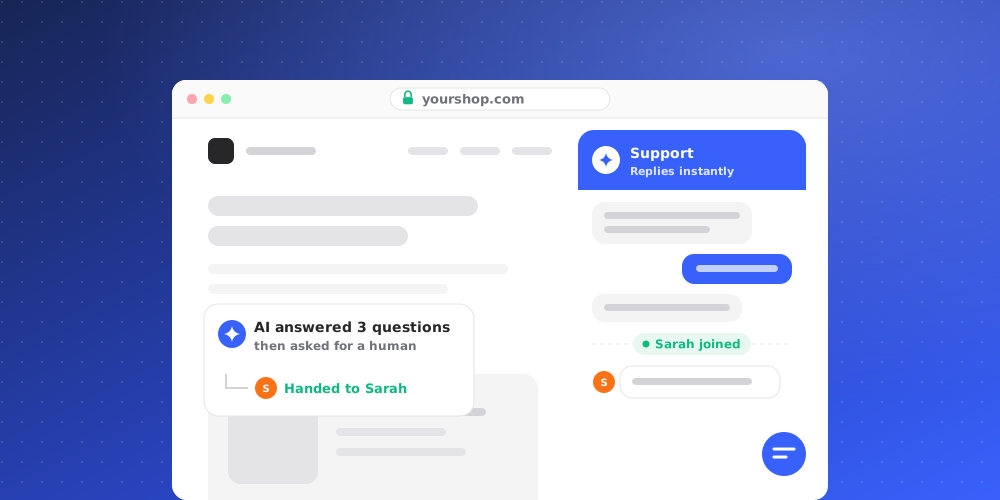
Every new chat on your widget starts with your brand's AI agent. The AI answers what it can from your knowledge, and passes the conversation to your team when a person is needed. The Inbox only lists chats that a person handles; everything the AI is still handling lives under AI Conversations.
How the AI answers
When a visitor writes, the AI waits a moment so that several quick lines get one answer. It then searches your brand's knowledge for the question and answers from what it finds. If nothing in your knowledge covers the question well enough, it doesn't guess: it hands off. Greetings get a short reply.
If your brand has AI Actions set up, the AI can use them while answering. Actions that need approval wait for a person before anything happens.
When the AI hands off
The AI passes a chat to your team when:
- your knowledge doesn't cover the question, or the AI judges that a person should answer;
- the conversation reaches 15 AI replies, the limit per conversation;
- the AI can't answer for a technical reason, for example its provider is unavailable.
The visitor is told that a person will reply in the same chat, and the conversation moves to Unassigned in the Inbox, marked Open. From there anyone on the team can pick it up.
Who the AI appears as
In Studio > Brand Settings > Team Profiles, choose Who answers visitors:
- One AI agent: the agent answers every visitor with its widget name and avatar.
- AI persona team: personas answer visitors in their language, based on who is on shift. A Fallback persona answers when no persona for the visitor's language is on shift. Use Test routing to see who would answer right now.
Each AI reply keeps the name and photo of the persona who sent it, even if shifts change later. In the thread, AI replies carry an AI label so your team can tell them apart.
Spam protection
In Studio > Brand Settings > Security, Spam detection checks conversations after the 2nd, 4th, 8th and 16th visitor message against what you describe as spam. When a conversation matches, it is paused: it closes as Resolved, the AI stops answering, and the thread shows "Conversation paused by spam protection."
Take over a chat
You don't have to wait for a hand-off. Open AI Conversations under Agent chats in the Desk sidebar. Its tabs sort the AI's chats into Active, Resolved and Escalated. These threads are read-only; choose Take over to move the chat into the Inbox, assigned to you, and reply there. The AI stops answering as soon as a person has the conversation.
In the Inbox, the Handled by row in the Details panel shows who has the chat and offers the same Take over action.
Hand a chat back to the AI
When the visitor's remaining questions are ones the AI can handle, choose Hand back to AI from the conversation's More actions menu or from the Handled by row. The chat leaves the Inbox and the AI answers the visitor's next message.