
Verified identity: what it means and how to turn it on
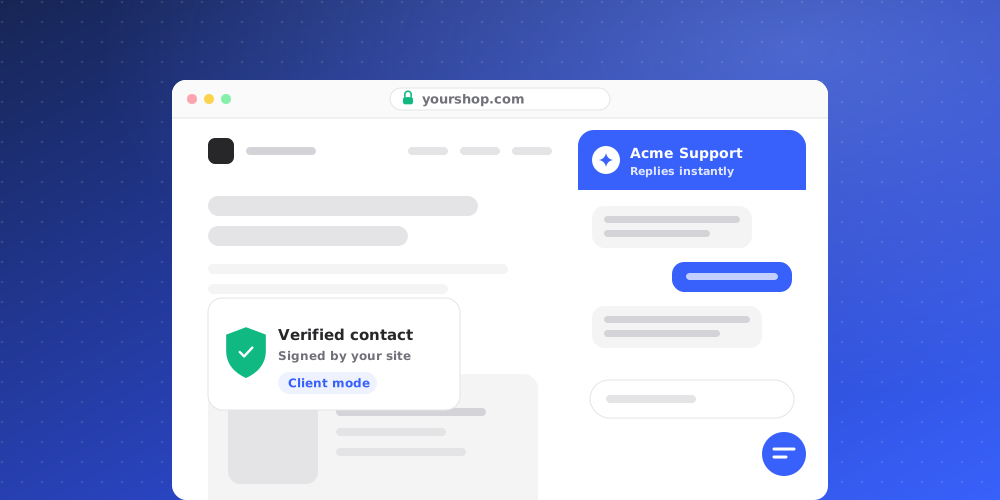
Anyone can type a name and email into a chat. Verified identity lets your website prove who a signed-in visitor really is, so your team and the AI can treat them as a known client.
Verified and Unverified
Every widget conversation in the inbox shows as either Verified or Unverified.
- Unverified: the name and email came from the visitor, from a form, or from a plain
identifycall on your site. They are useful labels, but not proof. - Verified: your website's server signed a short-lived token for the signed-in user with a secret only you and QuantCX know, and the widget passed it on.
What changes for a verified visitor
- The inbox shows the conversation as Verified, so your team knows who they are talking to.
- The AI answers them as a client. It can use client knowledge, client instructions, and AI Actions marked as only for verified contacts.
- Help Center articles set to Clients only are used by the AI only for verified clients.
- A visitor's proof carries over to new conversations they start within 12 hours.
- If the contact's email is changed, the verification is cleared.
Turn it on
Only owners and admins can change identity verification.
- Open Studio > Brand Settings > Security.
- Scroll to Identity verification and click Generate secret.
- Copy the secret straight away and give it to your developer to store on your server, for example as
QUANTCX_IDENTITY_SECRET. It won't be shown again. - Your developer uses the secret to sign a token for each signed-in user and passes it to the widget. The box Sign the token on your server shows example code, and the full guide is in Documentation > Signed identity.
The secret must stay on your server. Never put it in your website's browser code.
Require verified identity
Once a secret exists, you can turn on Require verified identity. The widget then ignores any name and email your page sends without a valid token, so only your own site can label a conversation. Forms the visitor fills in still work.
Turn this on when your site already sends tokens for every signed-in user. Otherwise, plain identify calls will stop labelling conversations.
Rotate or delete the secret
- Rotate secret creates a new secret. The old one stops working at once, so update your server at the same time. QuantCX asks you to confirm with Rotate now.
- Delete removes the secret. Tokens are no longer accepted, and new conversations show as Unverified.