
Connect Slack and take client messages from channels
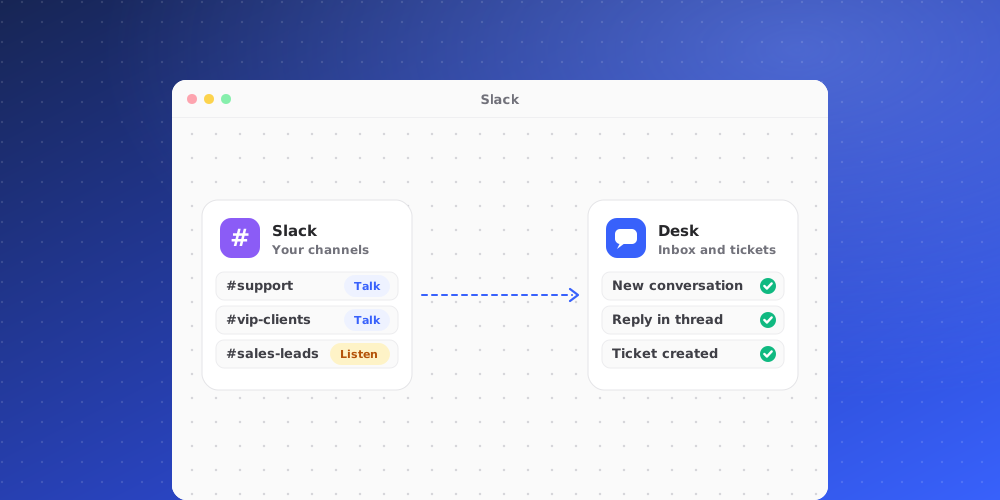
The Slack integration turns client messages in the Slack channels you choose into conversations in your inbox. Your replies go back into the same Slack thread.
Before you start
- Only owners and admins can connect Slack, change channels and disconnect it. Other members can see the connection but not change it.
- You need permission to install an app in your Slack workspace.
Connect in three steps
- Add the app to Slack. Go to Settings > Integrations > Slack and click Connect Slack. Slack asks you to approve the app, then sends you back to QuantCX.
- Invite it to each client channel. In each channel, type
/invite @QuantCX. The app cannot read channels it has not been invited to. - Map each channel. Back in QuantCX, click Refresh channels so newly invited channels appear. For each channel, pick the client and the brand, and turn on the switches you need.
The channel switches
- Connected: QuantCX watches this channel.
- Intake: new messages from the client in this channel become conversations in the inbox. Intake is off until you turn it on, and QuantCX never takes messages from a channel unless it is on.
- Ticket questions: lets your team ask the client a question in this channel from a ticket (see below).
Messages from people in your own Slack workspace are ignored. They are your teammates, not clients. Bot messages, edits, deletions and joins are ignored too.
Replying in the thread
Open the conversation in the Desk and reply as usual. Your reply is posted into the Slack thread the conversation came from, under your name and picture. The Desk confirms: "It appears in the Slack thread under your name."
Asking the client from a ticket
When a ticket needs an answer from the client, click Ask the client on the ticket, type your question and click Send to Slack.
- The question goes into the client's Slack channel as a new thread.
- The ticket moves to Waiting on Client.
- The client's answer arrives on the ticket as an internal note. The customer on the ticket sees nothing until you reply to them yourself.
This needs Ticket questions turned on for that client's channel.
Disconnecting
When you disconnect Slack, new messages in your channels stop becoming conversations and the channel mapping is forgotten. Conversations already in the inbox stay there. Remove the app in Slack too if you want it gone from the channels.