
Connect YourPropFirm
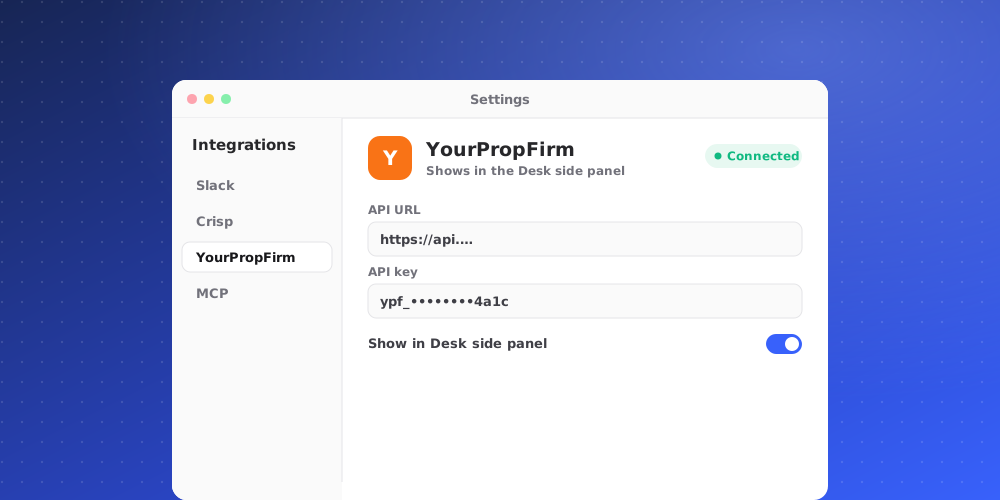
Connect YourPropFirm to see a client's trader record next to their conversation or ticket: KYC, challenge and funded accounts, drawdown and payouts. It is read-only. QuantCX never changes anything in YourPropFirm.
Owners and admins can connect and disconnect. Every member of the workspace sees the data in the Desk side panel, for your workspace's own clients only. It is never shared with the AI agent or the customer.
Get the API address and key
YourPropFirm issues one client key per firm. It can read every trader, so share it only with the people who set up integrations.
Connect it in QuantCX
- Go to Settings > Integrations and open the integration, then click Connect.
- Fill in the fields:
- API address: the Client API base address YourPropFirm gave you, starting with
https://. - Client key: write-only. After you save it, nobody can read it back.
- API address: the Client API base address YourPropFirm gave you, starting with
- Click Connect. QuantCX checks the key with the provider first. If the check fails, nothing is saved.
The key is stored encrypted and is never shown again, not even to admins. To change it, disconnect and connect again with the new key.
What the side panel shows
The YourPropFirm app appears when the client's exact email matches a trader. It shows:
- The trader's status, KYC state and whether they are blacklisted.
- Their accounts with program, state, balance, equity, daily and total drawdown, and profit split.
- Their payouts with state, amount, method and any rejection reason.
- Totals, such as funded and breached accounts and the amount paid out.
On a ticket that names an account, that account is pinned under This ticket. The app gets a badge when something needs attention, such as Payout pending, KYC rejected or Blacklisted.
What it never does
- Change accounts, payouts or KYC.
- Show trading passwords or admin notes.
- Share the record with the AI or the customer.
Disconnecting
The client key is deleted from QuantCX and trader records stop showing in the Desk. You can connect again with the key.